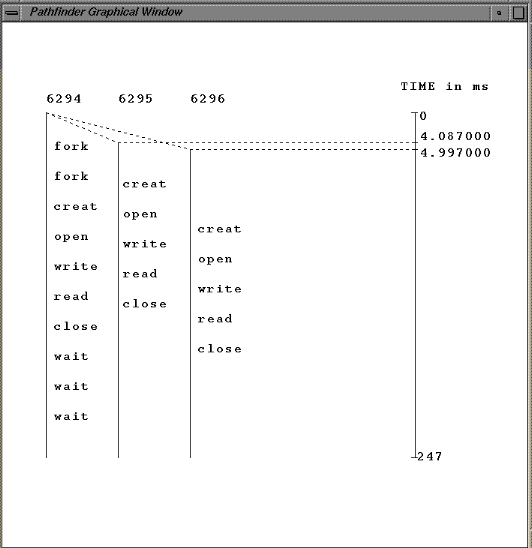
USER GUIDE:
At the command line run the executable code <pathfinder>
$ pathfinder
A small window will appears display a message "Start Pathfinder".
Click on that icon, so that a welcome window will pop up ask the
user to enter his Makefile. That window will have 4 small icons to
press on:
- OK to be click after a file name is enter
- Clear to clear if a wrong file is enter
- Cancel to cancel the program
- Help to display a small window indicating the user to enter a
makefile.
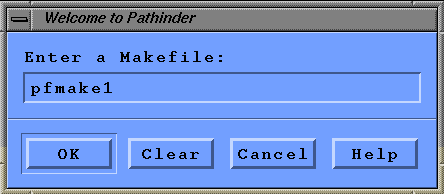
After the user enter his makefile(the example user makefile is
"pfmake1" or "pfmake2") and the OK button is clicked, the text
window will appear.
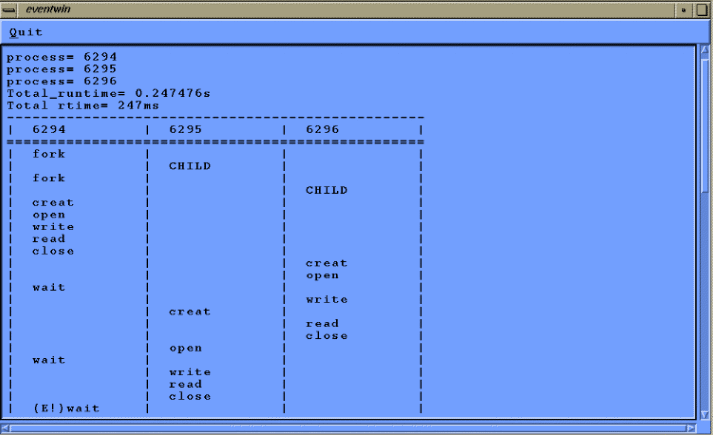
Next press on the "Quit" icon so that this window will disapear
and the the graphical window will be display.