Final Product
Replay
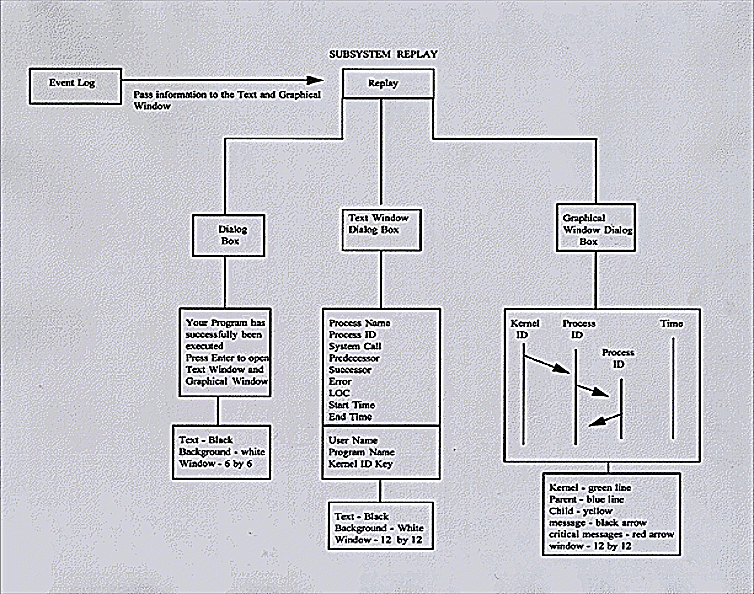
- A pop-up window stating "Your Program has successfully been executed, Press Enter to
Continue". This box
will be 12 by 12 inches, the text will be black, and the background will be white - The static part of the Text Window will contain the following information from the
Event Log: the user name,
program name, and the Kernel Id key - The dynamic part of the Text Window will contain the following information from the
Event Log: the process name,
process id, system call, predecessor, successor, errors, LOC, start and end time of a process - The Text Window will be 12 by 12 inches, white background, and black text
- The Graphical Window takes the process id from the Event Log and place it on top of
the line that represents
the process - The Graphical Window takes the predecessor and successor information to draw
communication arrows
between the processes - The Graphical Window takes the start and end time of a process and place the information on the time line
- The Graphical Window will use the following color representation: the kernel will be
a green line, a parent process
will be a blue line, a child process will be a yellow line, a child process that becomes a parent process will be a thick
yellow line, a critical message will be a red arrow, and a regular message will be a black arrow - TheGraphical Window will be 12 by 12 inches with a white background